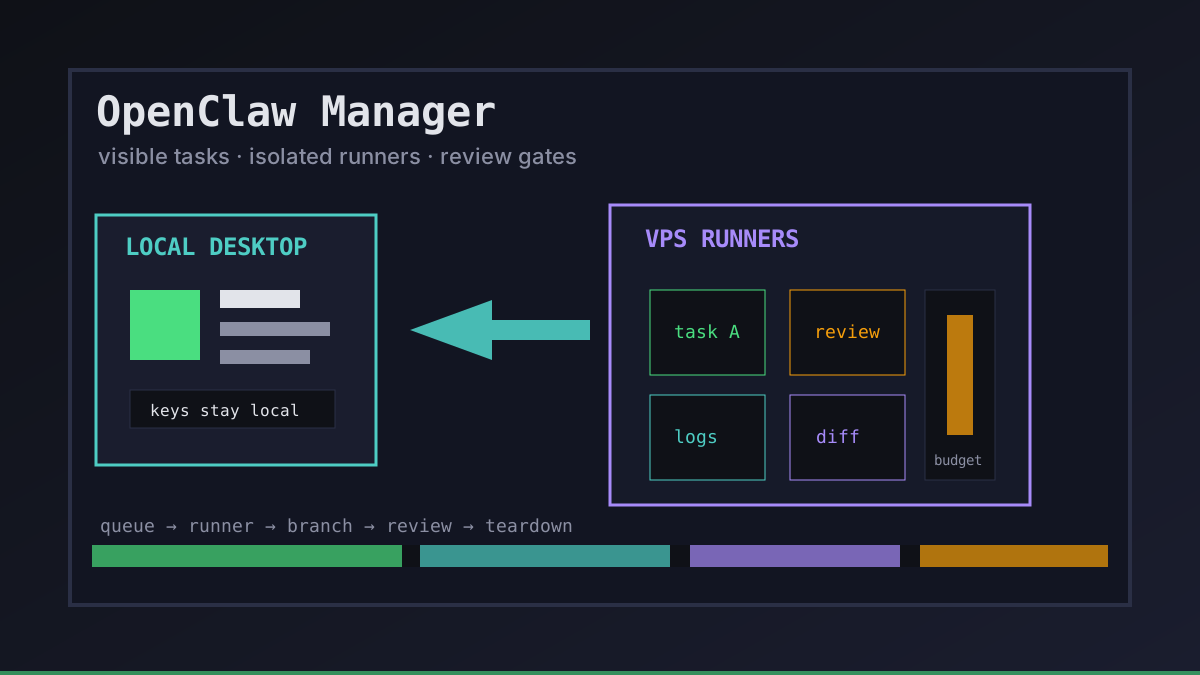
OpenClaw-style agents are useful only when the surrounding workflow stays observable. A model can edit code for hours, but a developer still needs to know which task is running, where the branch lives, what credentials were exposed, and when a human should review the diff.
That is the job of an OpenClaw manager. Office Claws is not a native OpenClaw runtime; it is the desktop and VPS control layer we built for OpenClaw-adjacent, Codex-backed software work. If you are comparing runtimes first, start with OpenClaw vs Codex. This article focuses on the manager layer around the agent.
What an OpenClaw Manager Should Make Visible
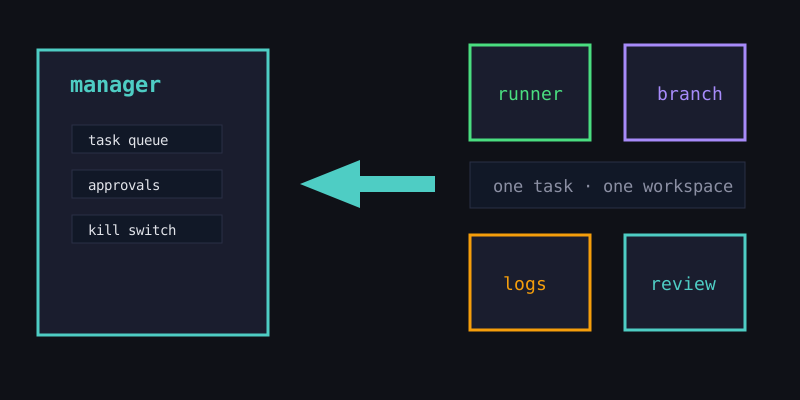
A manager earns its place by turning hidden agent activity into a small set of reliable signals. If a developer has to SSH into every runner and read raw logs to answer basic questions, the manager is not doing enough.
| Signal | Why it matters | Healthy default |
|---|---|---|
| Task owner | Someone must decide when the result is good enough | every run has an owner and goal |
| Runner state | Long tasks fail quietly without health checks | online, idle, running, stuck, offline |
| Branch and diff | Review needs a clear artifact | one task, one branch, one worktree |
| Credential scope | Agents should not inherit every secret | short-lived, repo-scoped tokens |
| Budget | Runtime and tokens drift when nobody watches | timeout, spend cap, teardown rule |
| Review gate | Agents can prepare work; humans or CI should ship it | PR or explicit deploy approval |
Office Claws shows those signals in a local desktop app instead of burying them across terminal panes. The point is not decoration. The pixel office is a status board: you can see which agents are alive, which runners need attention, and which jobs are ready for review.
The OpenClaw Manager Architecture We Trust
The safest pattern is boring: keep the manager local, put risky execution on disposable runners, and move changes back through Git.
local desktop manager
  ├─ task queue and approvals
  ├─ local keys and provider setup
  ├─ runner inventory
  └─ logs, diffs, kill switch
        │
        ▼ secure SSH / Tailscale path
isolated VPS runner
  ├─ clean checkout or worktree
  ├─ Codex-backed coding task
  ├─ scoped repo token
  ├─ branch push or PR
  └─ teardown after review
This is why our OpenClaw desktop manager and OpenClaw VPS manager guides both emphasize isolation. OpenClaw created the demand for broader autonomous workflows; code-heavy teams still need a practical operating model for persistent runners, logs, branches, and rollback.
Manager Features That Matter More Than Agent Count
It is tempting to judge a manager by how many agents it can launch. That number is less important than whether each agent is bounded and recoverable.
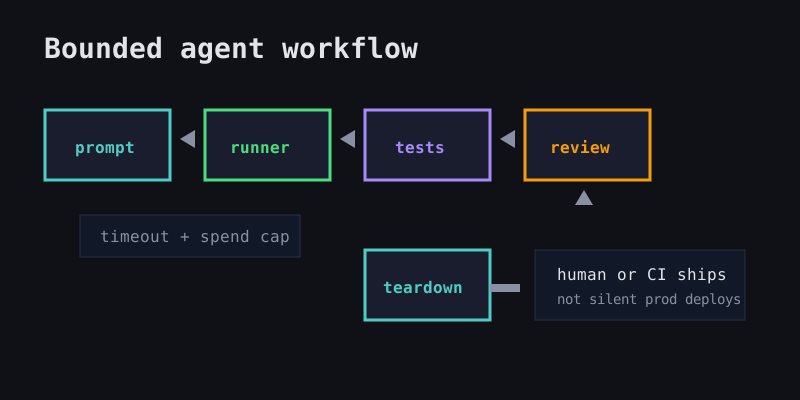
A good OpenClaw manager should give you:
- One workspace per task. Shared checkouts create invisible conflicts and confusing diffs.
- A visible queue. Every run should have a prompt, owner, status, and expected outcome.
- Durable logs. If a laptop sleeps or an SSH tab closes, the record should survive.
- Scoped secrets. Tokens should match the repository and task, not the developer's entire account.
- A kill switch. Stuck or suspicious agents should be easy to stop without losing the current diff.
- Budget controls. Timeouts, VPS lifecycle rules, and token tracking make parallel work safe.
- Review handoff. The output should be a branch, PR, patch, or summary that fits normal engineering review.
Those features are less flashy than a huge agent list, but they are what keep autonomous coding from becoming a pile of abandoned cloud machines.
When Office Claws Fits the Manager Role
Use Office Claws when your OpenClaw-style workflow has become software-engineering work: edit this repo, run these tests, keep the task alive on a VPS, and bring back a reviewable result. The practical runtime is usually Codex-backed today, while Office Claws handles provisioning, monitoring, chat, and status from the desktop.
Use plain OpenClaw or another native framework when the framework itself is the experiment: new tools, memory behavior, non-coding automation, or research workflows that do not fit a repo-first loop.
| Workflow | Better fit | Why |
|---|---|---|
| Explore broad agent capabilities | OpenClaw-native setup | the framework behavior is the point |
| Run long coding tasks on a VPS | Office Claws + Codex | persistent runner, branch, logs, review |
| Coordinate several repo tasks | Office Claws | one runner and branch per task |
| Test agent memory/plugin ideas | Native framework | avoid pretending Office Claws imports state it does not |
| Control cost for code changes | Office Claws | subscription-shaped Codex path plus VPS limits |
For more on the cost side, see OpenClaw cost comparison. For security boundaries, see OpenClaw secrets management.
Recommendation
Pick an OpenClaw manager for operational clarity, not for the longest feature checklist. The right manager should make agent work visible, bounded, reviewable, and cheap enough to run without anxiety.
Our honest pitch is simple: Office Claws for OpenClaw users gives developers a local desktop control plane for Codex-backed runners on real VPS infrastructure. It does not replace judgment or claim native OpenClaw ownership. It gives you the state, isolation, and review gates you need before an agent runs all afternoon.