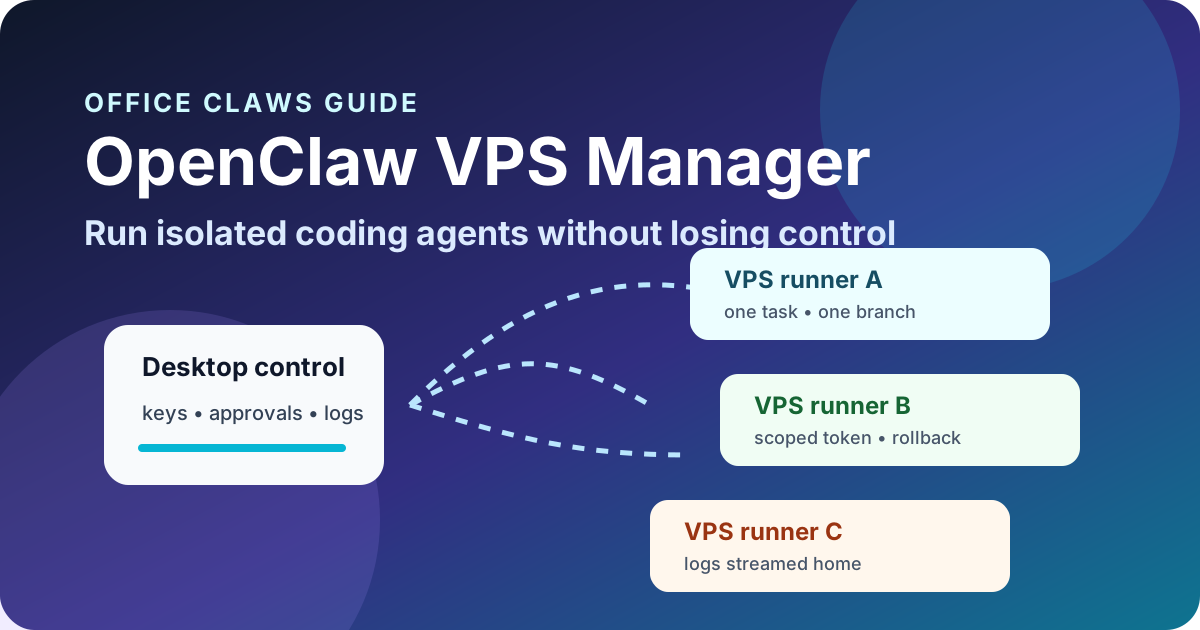
Why OpenClaw VPS Manager Workflows Need an Operator Layer
OpenClaw-style agents become much more useful when they can leave your laptop and work on a VPS. They can run long test suites, keep a branch moving overnight, or isolate risky dependency installs away from your daily machine. The tradeoff is control: once the agent is remote, you need a reliable way to see what it is doing, stop it, recover its work, and keep secrets out of the blast radius.
That is the job of an OpenClaw VPS manager. Office Claws is not a native OpenClaw runtime; it is the local desktop and VPS operator layer for OpenClaw-adjacent, Codex-backed agent workflows. If you are comparing runtimes first, read OpenClaw vs Codex. This guide focuses on how to run the remote side safely.
What an OpenClaw VPS Manager Should Track
A remote coding agent is only manageable when every task has a visible owner, runner, branch, and exit path. Terminal multiplexers and ad-hoc SSH sessions can start work quickly, but they become hard to audit when three agents are editing three repositories on three machines.
| Layer | What to track | Why it matters |
|---|---|---|
| Task | prompt, owner, deadline, status | prevents mystery background work |
| Runner | host, region, size, health | makes failures and cost visible |
| Repository | branch, worktree, changed files | keeps review and rollback simple |
| Credentials | scoped token, expiry, purpose | limits damage from prompt injection |
| Logs | last useful output, errors, command history | shows whether the agent is alive or stuck |
| Budget | token spend, VPS hours, timeout | stops silent cost drift |
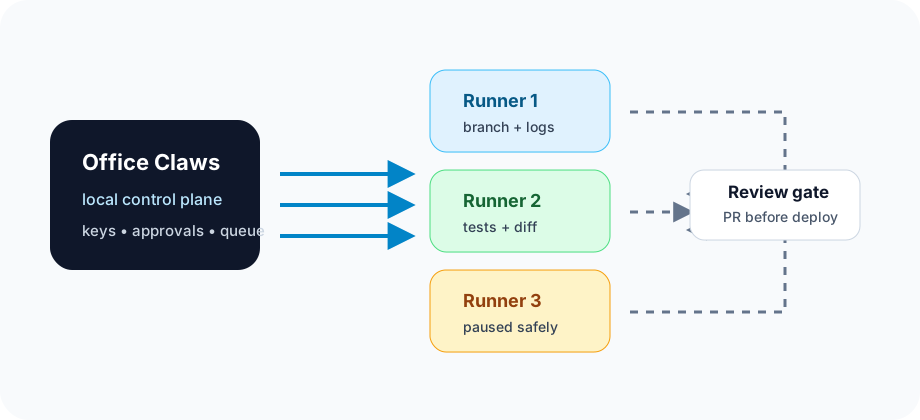
Office Claws for OpenClaw users puts those signals in the desktop control plane while the runner remains disposable. The practical runtime is usually Codex-backed today, but the operating pattern is the same one OpenClaw teams need: one task, one isolated workspace, one reviewable result.
Recommended OpenClaw VPS Runner Architecture
Start with the smallest architecture that creates a real boundary:
local desktop
  ├─ Office Claws control plane
  ├─ provider keys and approvals
  ├─ runner inventory
  └─ logs, diffs, status, kill switch
        │
        ▼ SSH / secure tunnel
VPS runner
  ├─ clean checkout or worktree
  ├─ one agent task
  ├─ repo-scoped token only
  ├─ no production deploy key
  └─ push branch / open PR / tear down
This is more disciplined than leaving a powerful agent in your main checkout. It also pairs well with OpenClaw remote agents, OpenClaw monitoring, and OpenClaw secrets management.
The Runner Checklist
Before giving an agent a remote machine, make the safe path the default.
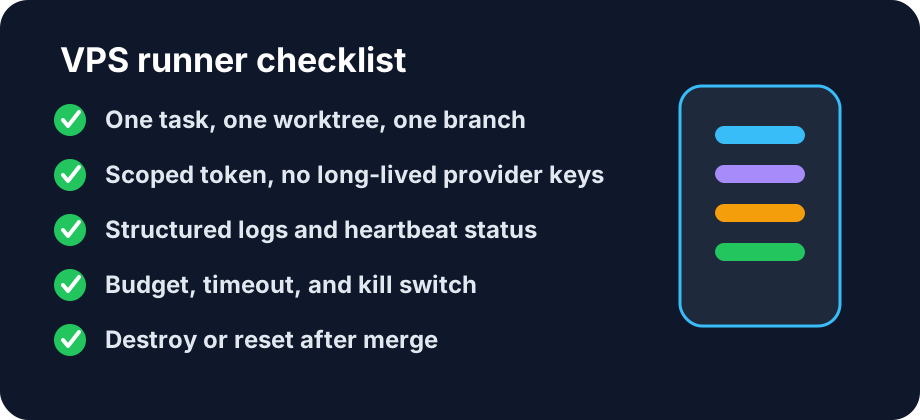
- Create one workspace per task. A separate worktree or fresh clone avoids cross-agent file collisions.
- Use a branch naming convention.
agent/<ticket-or-slug>makes review, cleanup, and CI mapping obvious. - Pass only scoped credentials. A repo-scoped token is safer than a long-lived personal token or shared
.envfile. - Stream structured logs home. The operator should see command output, last progress, current step, and errors without SSH archaeology.
- Set time and spend limits. Every task needs a timeout, token budget, and VPS lifecycle rule.
- Require a review gate. Remote agents can prepare a branch; production deploys should still pass human or CI review unless you intentionally choose otherwise.
- Reset or destroy stale runners. Disposable infrastructure is only safe when old credentials, caches, and checkouts disappear.
When a VPS Manager Beats a Plain SSH Session
Plain SSH is fine for a single experiment. A manager becomes worth it when work is parallel, expensive, or risky:
- You run more than one OpenClaw-style agent at a time.
- You need to pause, resume, or kill long-running work without losing context.
- You want logs and diffs visible from a desktop app instead of hidden tmux panes.
- You have to prove which runner touched which repository.
- You want Codex-backed execution while preserving OpenClaw-style operating habits.
For the local side, see the OpenClaw desktop manager. For cost planning, use the OpenClaw cost comparison.
Failure Modes to Design Around
| Failure mode | Symptom | Safer recovery |
|---|---|---|
| Agent stuck waiting for input | no useful log output for minutes | request status, checkpoint diff, then resume or kill |
| Dependency install compromised | unexpected scripts, network calls, or file changes | revoke scoped token and destroy runner |
| Branch drifts from main | merge conflicts or stale tests | rebase in a clean worktree and rerun validation |
| VPS burns budget | high CPU, tokens, or runtime without commits | enforce timeout and summarize progress |
| Secret appears in logs | token pasted or echoed | rotate token and redact transcript before sharing |
These are operational problems, not just model problems. Better prompts help, but boundaries, observability, and rollback help more.
How Office Claws Fits
Office Claws gives developers a local-first way to manage remote coding agents: provision VPS runners, watch status, stream logs, keep keys closer to the desktop, and route reviewable branches back into normal Git workflows. The honest positioning is simple: Office Claws is a practical operator layer for OpenClaw users who want controlled, Codex-backed execution on their own machines and VPSes.
If your current setup is a pile of SSH tabs, tmux sessions, and forgotten cloud instances, start by turning one risky workflow into a managed runner. Then add budgets, scoped credentials, and branch review gates. That is enough to make OpenClaw-style remote agent work feel less like gambling and more like engineering.
Related Reading
- OpenClaw vs Codex — compare runtime and operating models.
- Office Claws for OpenClaw users — local desktop management for agent work.
- OpenClaw monitoring — logs, health checks, and stuck-agent recovery.
- OpenClaw secrets management — safer credentials for remote runners.